
Why Every Modern Office Needs an Ergonomic Workspace Setup in 2026
The Changing Nature of Work The modern workplace has evolved dramatically over the last decade. Employees today spend more time working on computers than ever before, whether in corporate offices, IT companies, home offices, customer support centers, trading floors, design studios, or remote work environments. As organizations focus on improving productivity, employee wellness, and workplace efficiency, the importance of ergonomic workspace design has become impossible to ignore. An ergonomic workspace is not simply about office furniture. It is a combination of monitor positioning, desk organization, seating posture, workstation accessories, lighting, and technology that work together to create a healthier and more productive work environment. Companies investing in ergonomic office solutions are discovering significant benefits including improved employee comfort, reduced physical strain, better focus, and enhanced workplace performance.
MONITOR ARMS IN INDIA
Singularity India Monitor Arms
6/2/20263 min read
What Is an Ergonomic Workspace?
An ergonomic workspace is a workstation designed to fit the user's body and work habits rather than forcing the user to adapt to poorly designed equipment.
A properly designed ergonomic workstation typically includes:
Monitor arms
Monitor stands
Height-adjustable desks
Ergonomic chairs
Laptop holders
Keyboard trays
Cable management solutions
Proper lighting systems
Workspace organization accessories
The objective is to create a comfortable environment that minimizes stress on the body while maximizing efficiency and productivity.
The Hidden Cost of Poor Workstation Ergonomics
Many professionals experience symptoms such as:
Neck pain
Back pain
Shoulder stiffness
Eye strain
Headaches
Wrist discomfort
Fatigue
These issues often develop gradually due to poor workstation design.
Common problems include:
Incorrect Monitor Height
When monitors are placed too low, users tend to bend their neck forward throughout the day.
Limited Screen Adjustability
Fixed monitor stands prevent users from positioning screens at the proper viewing angle.
Desk Clutter
Crowded desks create distractions and reduce available workspace.
Poor Multi-Monitor Positioning
Improper monitor alignment can cause excessive neck movement and reduced productivity.
Why Monitor Arms Are Becoming Essential
Monitor arms have become one of the most popular ergonomic upgrades in modern offices.
Unlike traditional monitor stands, monitor arms allow users to:
Raise monitors to eye level
Adjust screen distance
Rotate screens
Tilt displays
Create dual monitor setups
Build triple monitor workstations
Optimize desk space
Monitor arms are widely used in:
Corporate offices
IT companies
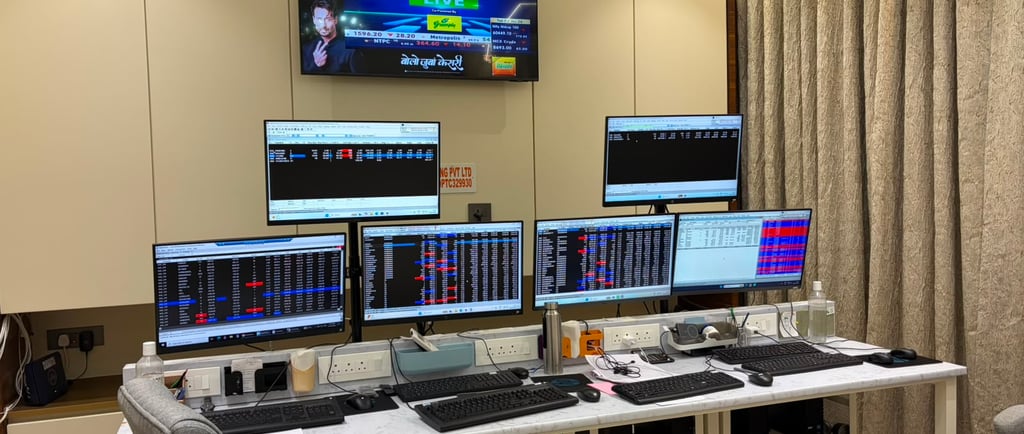
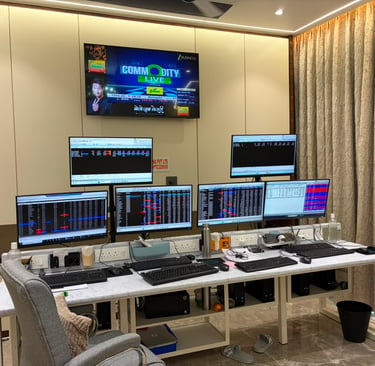
Trading desks
Call centers
Gaming setups
Home offices
Design studios
Healthcare workstations
Benefits of Using Monitor Arms
Better Posture
Monitor arms help position screens at the ideal height and viewing angle.
This encourages:
Neutral spine alignment
Reduced neck strain
Improved sitting posture
Better long-term comfort
Increased Productivity
Employees can work more efficiently when screens are positioned correctly.
Studies consistently show that comfortable employees remain focused longer and experience fewer distractions caused by discomfort.
Improved Workspace Organization
Monitor arms free valuable desk space by lifting screens off the desktop.
This creates room for:
Documents
Laptops
Accessories
Collaborative work
Enhanced Multi-Monitor Workflows
Dual monitor arms, triple monitor mounts, and quad monitor stands allow professionals to build highly productive multi-screen environments.
The Growing Demand for Dual Monitor Setups
Many organizations are upgrading employees from single-screen workstations to dual monitor setups.
Dual monitor configurations are particularly useful for:
Software developers
Financial traders
Data analysts
Customer support teams
Project managers
Graphic designers
Content creators
Benefits include:
Reduced window switching
Faster multitasking
Improved workflow efficiency
Better information visibility
A dual monitor arm allows both displays to be aligned perfectly for ergonomic viewing.
Why Trading Desks Depend on Multi-Monitor Setups
Financial professionals often rely on:
Dual monitor arms
Triple monitor arms
Quad monitor mounts
These setups allow traders to monitor:
Live charts
Market news
Trading platforms
Communication tools
Efficient monitor positioning can improve decision-making speed and reduce physical fatigue during long trading sessions.
Home Office Ergonomics Matters Too
Remote work has transformed how people think about workspace design.
Many home offices were initially created using basic furniture and improvised setups.
As remote work continues, professionals are investing in:
Monitor arms
Ergonomic chairs
Laptop stands
Cable management systems
Adjustable workstations
A well-designed home office can significantly improve both comfort and productivity.
Workspace Accessories That Improve Efficiency
Beyond monitor arms, several accessories contribute to better workstation ergonomics:
Laptop Holders
Raise laptops to eye level and improve airflow.
Keyboard Trays
Support proper wrist positioning.
Cable Management Solutions
Reduce clutter and improve desk aesthetics.
Monitor Light Bars
Improve screen visibility while reducing eye strain.
Reinforcement Plates
Provide additional desk stability for monitor arm installations.
Gaming Setups and Ergonomics
The gaming community has played a major role in popularizing ergonomic desk setups.
Modern gaming workstations often feature:
Gas spring monitor arms
Ultrawide monitor mounts
RGB lighting
Cable management systems
Ergonomic seating
Many of these innovations are now being adopted in professional office environments.
Choosing the Right Monitor Arm
When selecting a monitor arm, consider:
Screen Size
Choose a monitor arm compatible with your display size.
Weight Capacity
Ensure the arm supports your monitor weight.
VESA Compatibility
Most monitors use:
75×75 mm VESA
100×100 mm VESA
Mounting Method
Options include:
Desk clamp
Grommet mount
Wall mount
Freestanding monitor stand
Gas Spring vs Mechanical Spring
Gas spring monitor arms provide smoother adjustment and are ideal for frequent repositioning.
Future of Ergonomic Workspaces
Workspaces continue to evolve toward:
Smart desks
AI-powered productivity tools
Flexible workstation designs
Collaborative environments
Employee wellness initiatives
Ergonomics is no longer considered a luxury. It has become a critical component of workplace performance and employee satisfaction.
Organizations that invest in ergonomic workspace solutions today are creating healthier, more productive, and more efficient work environments for the future.
Conclusion
Whether you are designing a corporate office, upgrading a home workspace, building a trading desk, or creating a gaming setup, ergonomic workstation solutions provide measurable benefits.
Monitor arms, monitor stands, dual monitor setups, laptop holders, keyboard trays, and cable management systems all contribute to improved comfort, better posture, enhanced productivity, and a cleaner workspace.
At Singularity India, we provide a complete range of monitor arms, monitor stands, ergonomic workspace accessories, VESA monitor mounts, gas spring monitor arms, dual monitor stands, triple monitor mounts, quad monitor arms, laptop holders, and workspace organization solutions designed for modern offices and professional workstations across India.
Connect
+91-7838640002, +91-9810502349
© 2025. All rights reserved.